Introduction
Drona Workflow Engine is an HPC workflow assistant and framework developed by Texas A&M University HPRC. It provides a 100% graphical interface for creating and submitting computational jobs — researchers provide workflow-specific information through dynamic forms, and Drona generates all necessary scripts, validates the configuration, and submits the job on their behalf.
The Problem
HPC resources are becoming increasingly complex while simultaneously growing more popular among researchers who may lack traditional HPC skills. Writing Slurm scripts, managing modules, configuring multi-stage pipelines — these tasks create a steep learning curve that leads to frustration, inefficient resource usage, and increased burden on HPC support teams.
How Drona Solves It
Drona abstracts HPC complexity behind intuitive, workflow-specific forms while keeping the researcher in full control.
Guided Workflow Configuration
Researchers select a workflow environment and fill out a dynamic form tailored to that specific use case. The form adapts based on user selections — fields appear, hide, and validate in real time. No Slurm syntax or HPC knowledge required.
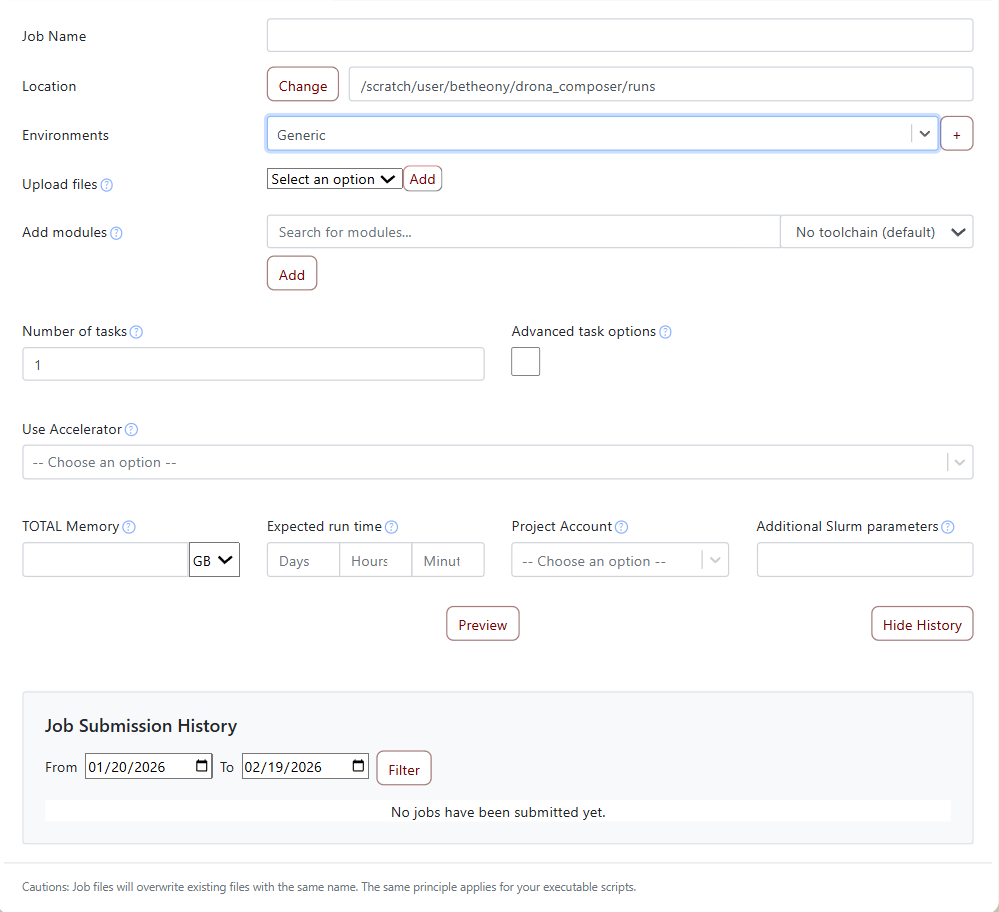
Full Transparency
Before submission, Drona displays all generated scripts in a fully editable preview window. Researchers can review exactly what will run, make adjustments, and catch issues before they reach the scheduler. A message pane provides validation warnings and environment-specific guidance.
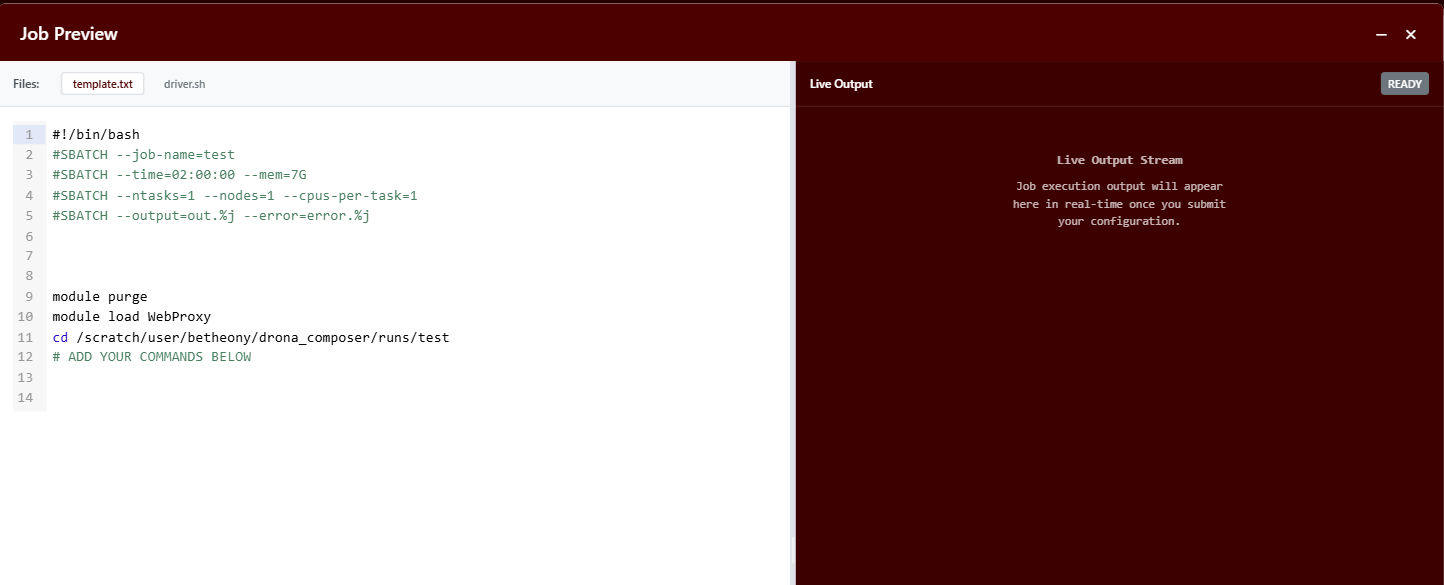
Extensible Framework
Drona is not just an assistant — it's a framework. Workflows are defined declaratively through a small set of configuration files:
schema.json— Defines the form interface and field behaviormap.json— Maps form values to job script variablesdriver.sh— Template for the generated job scriptutils.py— Optional custom processing logic
Anyone can create, customize, and share workflows. System administrators deploy workflows for all users, while researchers can develop and test their own in a personal workspace.
Dynamic Content
Workflows can include retriever scripts that fetch live data — available GPU types, module versions, running job statuses — and populate form fields dynamically. This enables workflows that respond to the current state of the cluster.
Validation and Feedback
Drona analyzes input values and provides warnings before submission. For example, it might flag that a GPU was requested for longer than the cluster's maximum GPU wall time, or that a required module is not available on the selected cluster.
Who Is Drona For?
- Researchers who want to run scientific workflows on HPC without learning Slurm
- HPC administrators who want to provide guided, validated job submission for their users
- Workflow developers who want to build shareable, reusable computational environments
Next Steps
- Quick Start — Install Drona and get it running
- Environment Development — Learn how workflows are built
- Schema Files — Understand the form definition system
Texas A&M University High Performance Research Computing